


















Product Help
Find Your Device Model
Choosing the correct model matters for cases, chargers, stands and accessories. Use the exact model name whenever possible.
On this page
iPhone
On your iPhone, open Settings → General → About and check Model Name. For an additional check, tap Model Number to view the A-number.
iPad
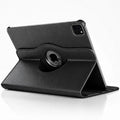
Open Settings → General → About and check the model name and model number. For iPad cases, screen size alone is not enough because different generations can share similar sizes.
Samsung Galaxy
Open Settings → About phone. Check the model name and model number before choosing a case or charger.
Apple Watch
On your iPhone, open the Watch app → General → About. Check the model name, case size and generation.
AirPods
On iPhone, open Settings → Bluetooth, tap the information button beside your AirPods, and check the model information. The charging case type also matters for wireless charging.